




 USD
USD EUR
EUR GBP
GBP CAD
CAD AUD
AUD HKD
HKD JPY
JPY KRW
KRW SGD
SGD NZD
NZD THB
THB English
 繁體中文
繁體中文 日本語
日本語 한국어
한국어 ไทย
ไทย Bahasa Indonesia
 Français
 Español
 Deutsch
 Português
 Nederlands
 Tiếng Việt
By EVPADPro | 19 June 2021 | 0 Comments
EVPAD TV Box EVAI Voice Assistant Update
EVPAD TV Box EVAI Voice Assistant Update, The latest language version: 2.1.3.1-EV
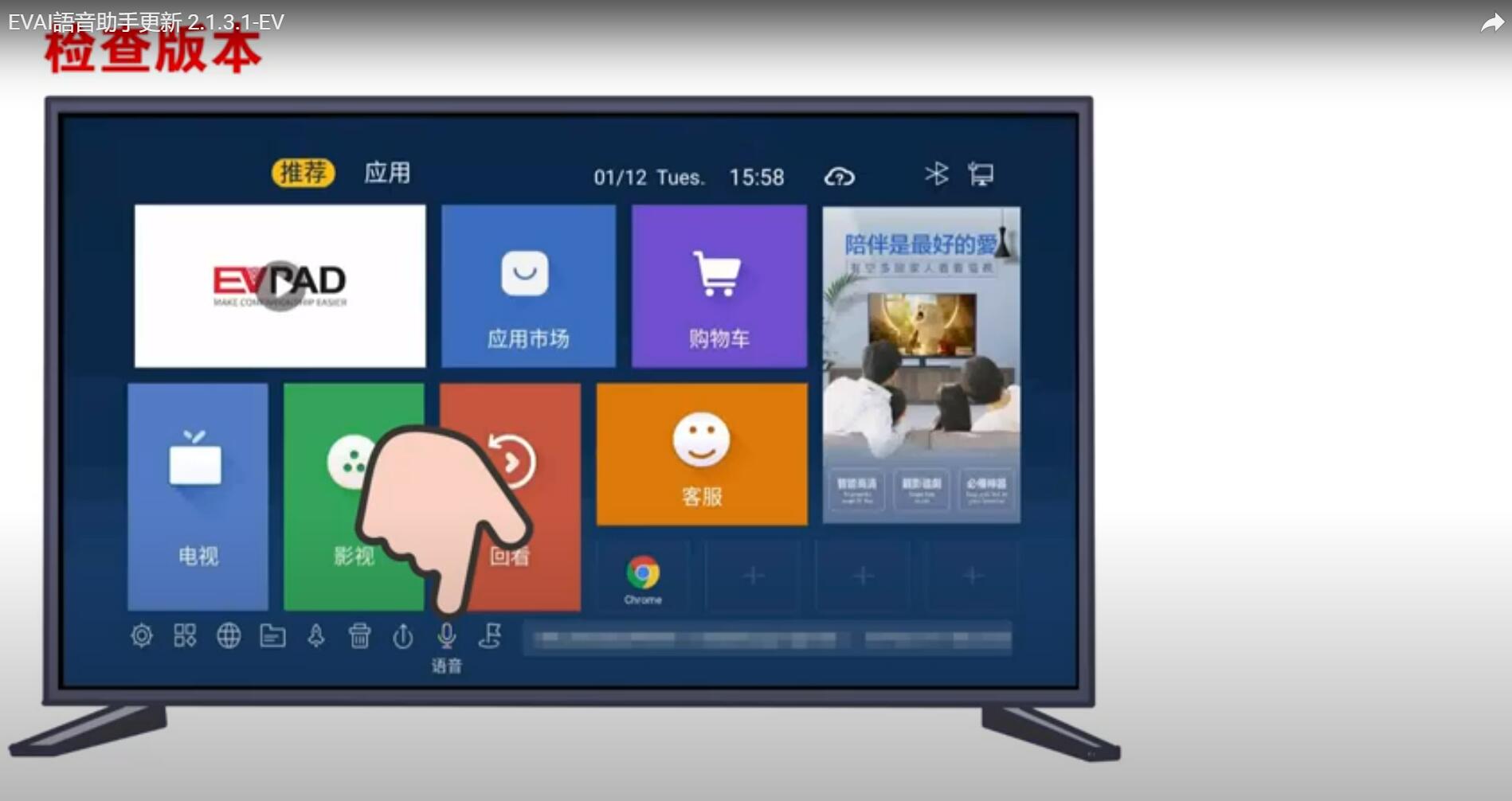
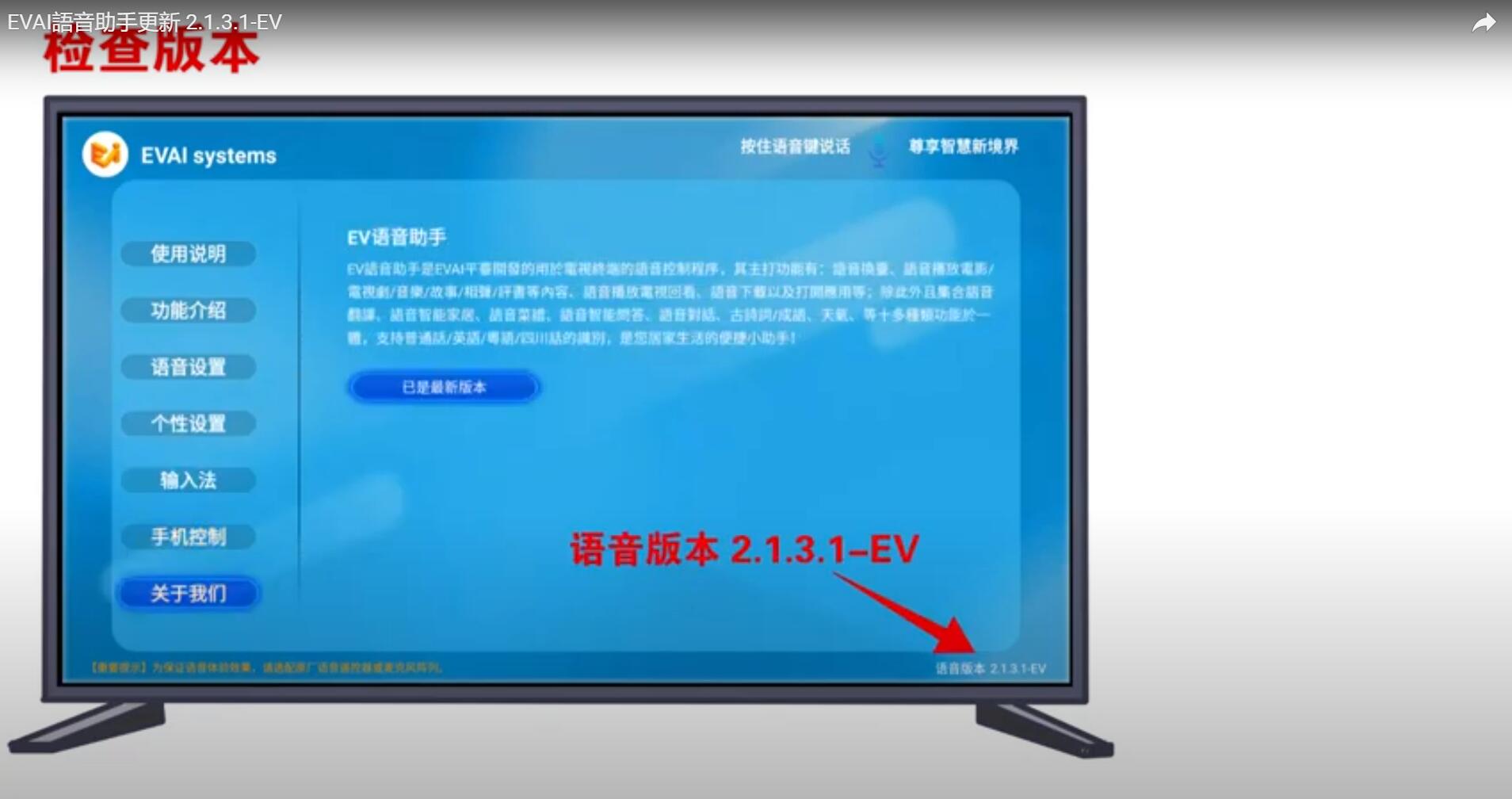
The latest features of EVAI voice assistant:
1. "Language Box" prompt optimization
2. "Voice input method" function
3. Mobile Control APP - "Smart Wizard'
1. "Language Box" prompt optimization
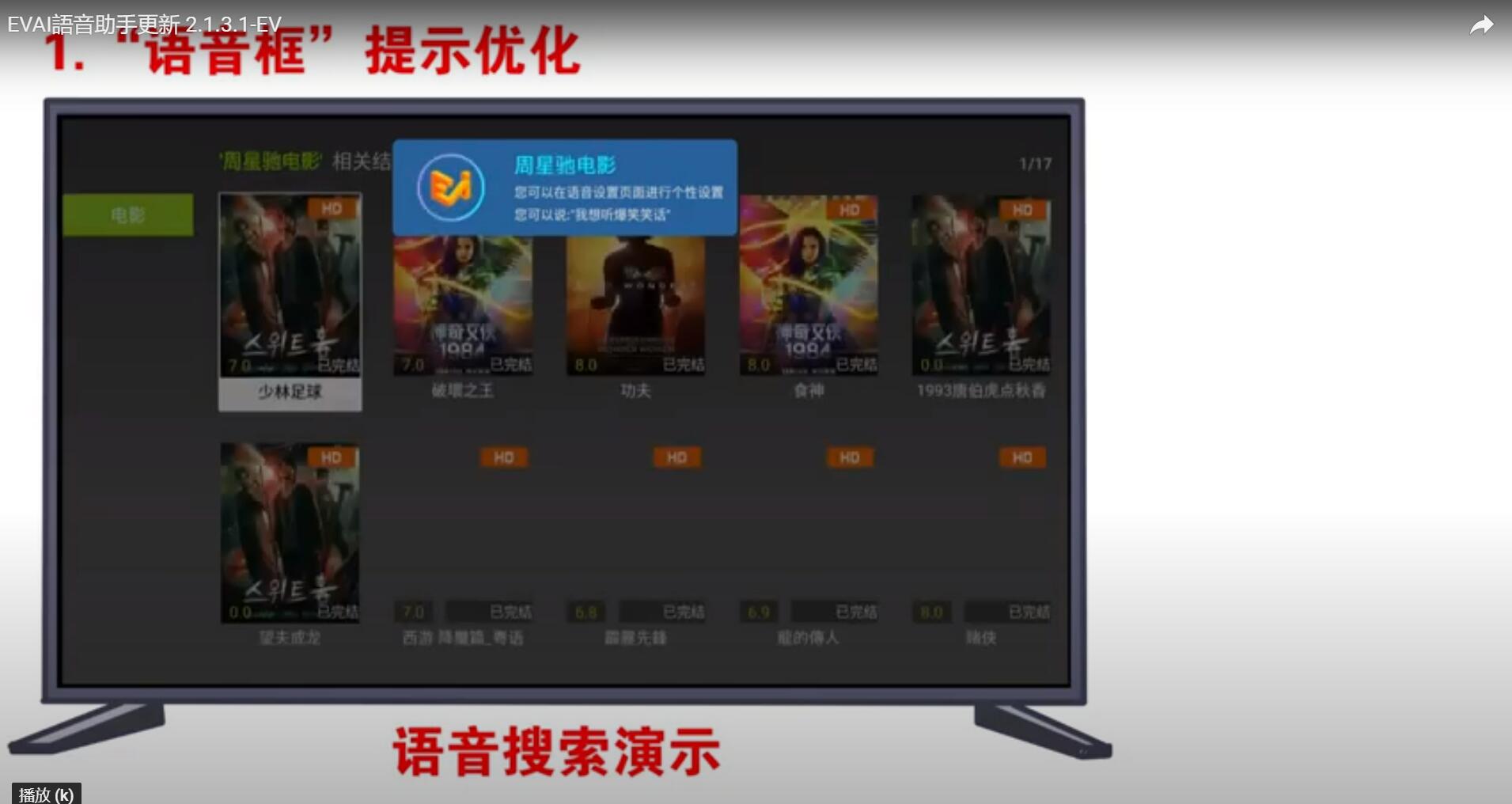
You can use the voice remote control to speak the name of the TV show or movie you want to watch, and the EVPAD TV box will find the resource and play with quick response. That means you can greatly improve efficiency and quickly find the programs you want to watch, instead of having to switch one by one with the remote control as before.
2. "Voice input method" function
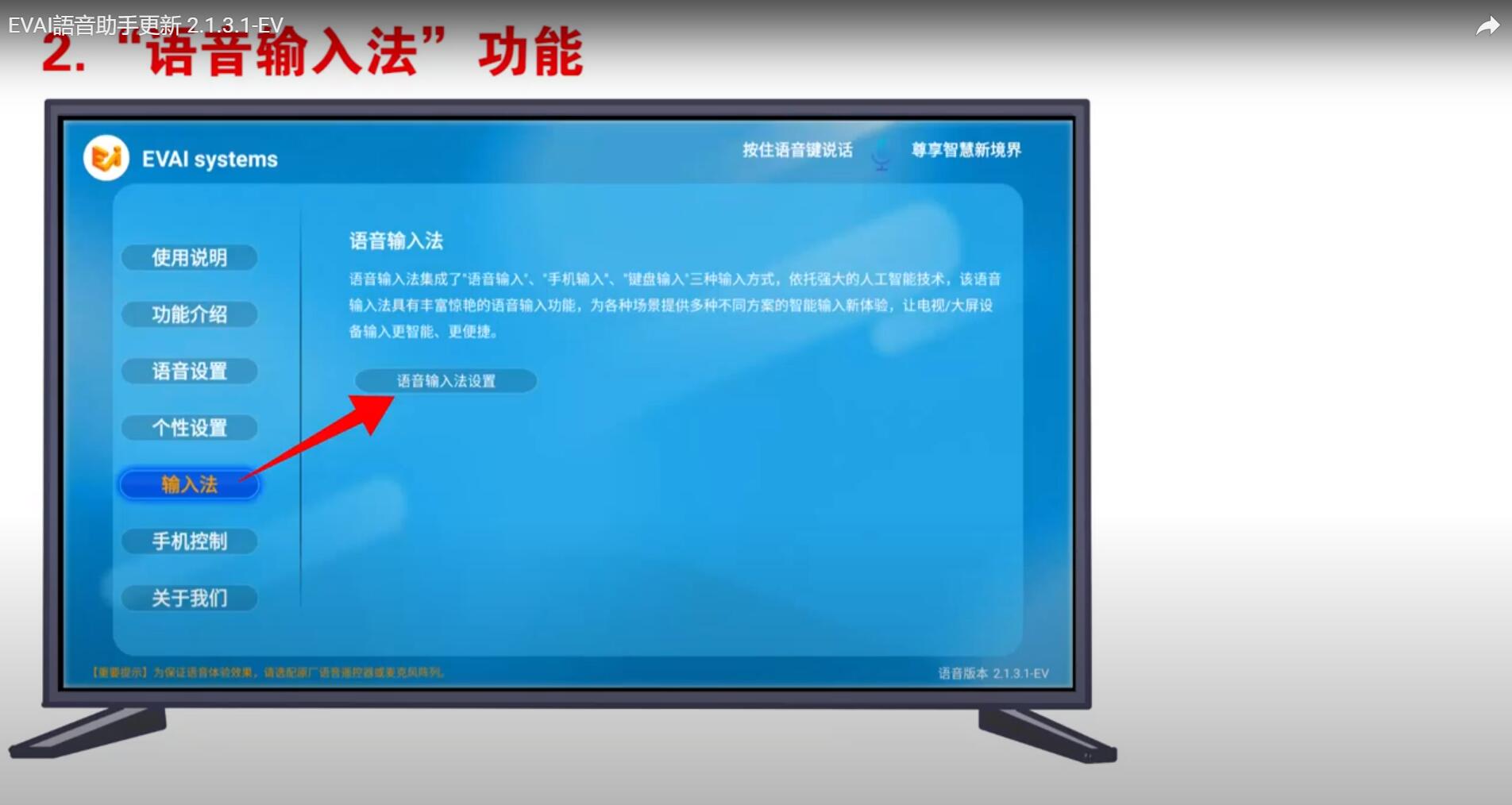
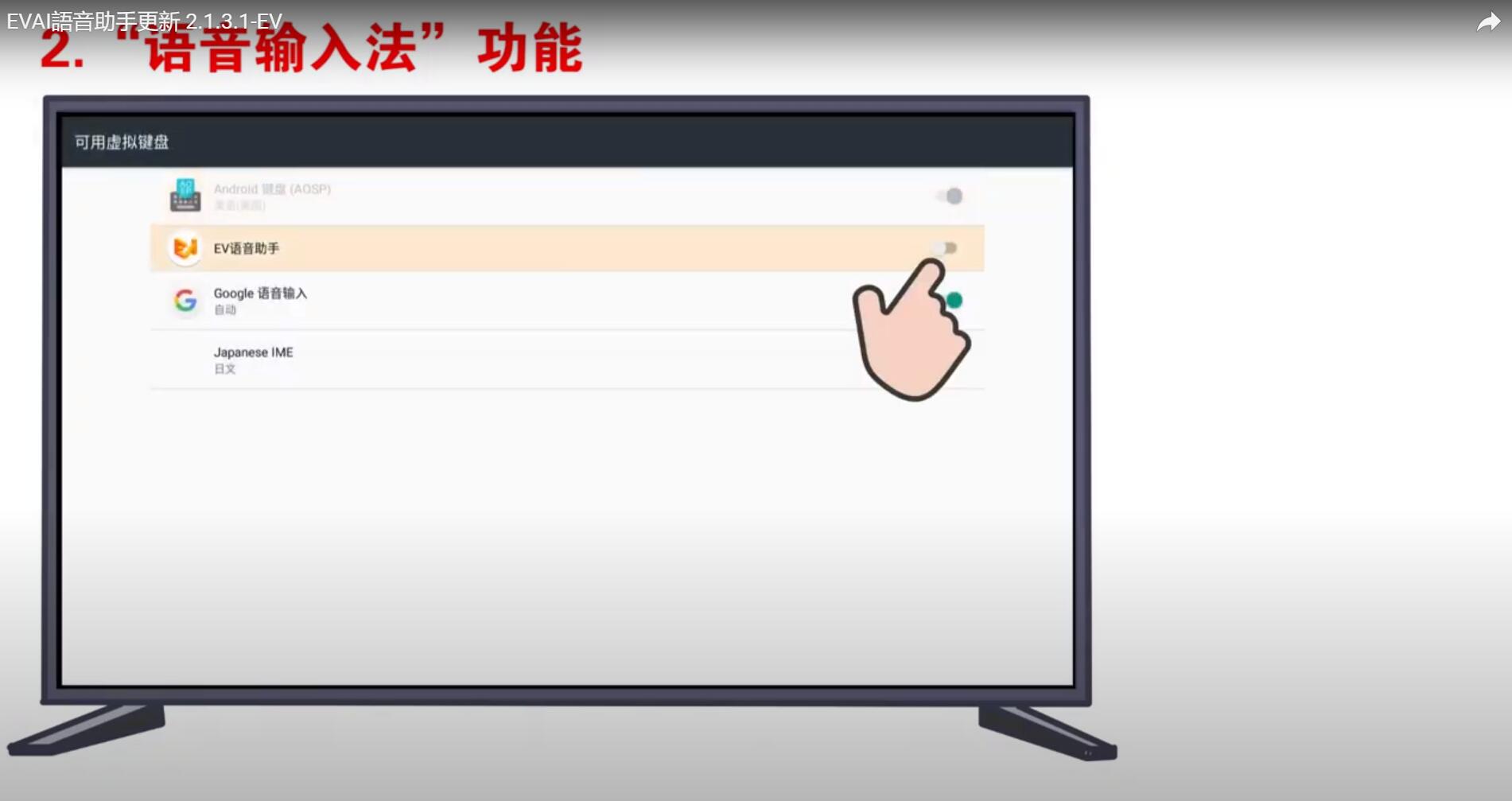
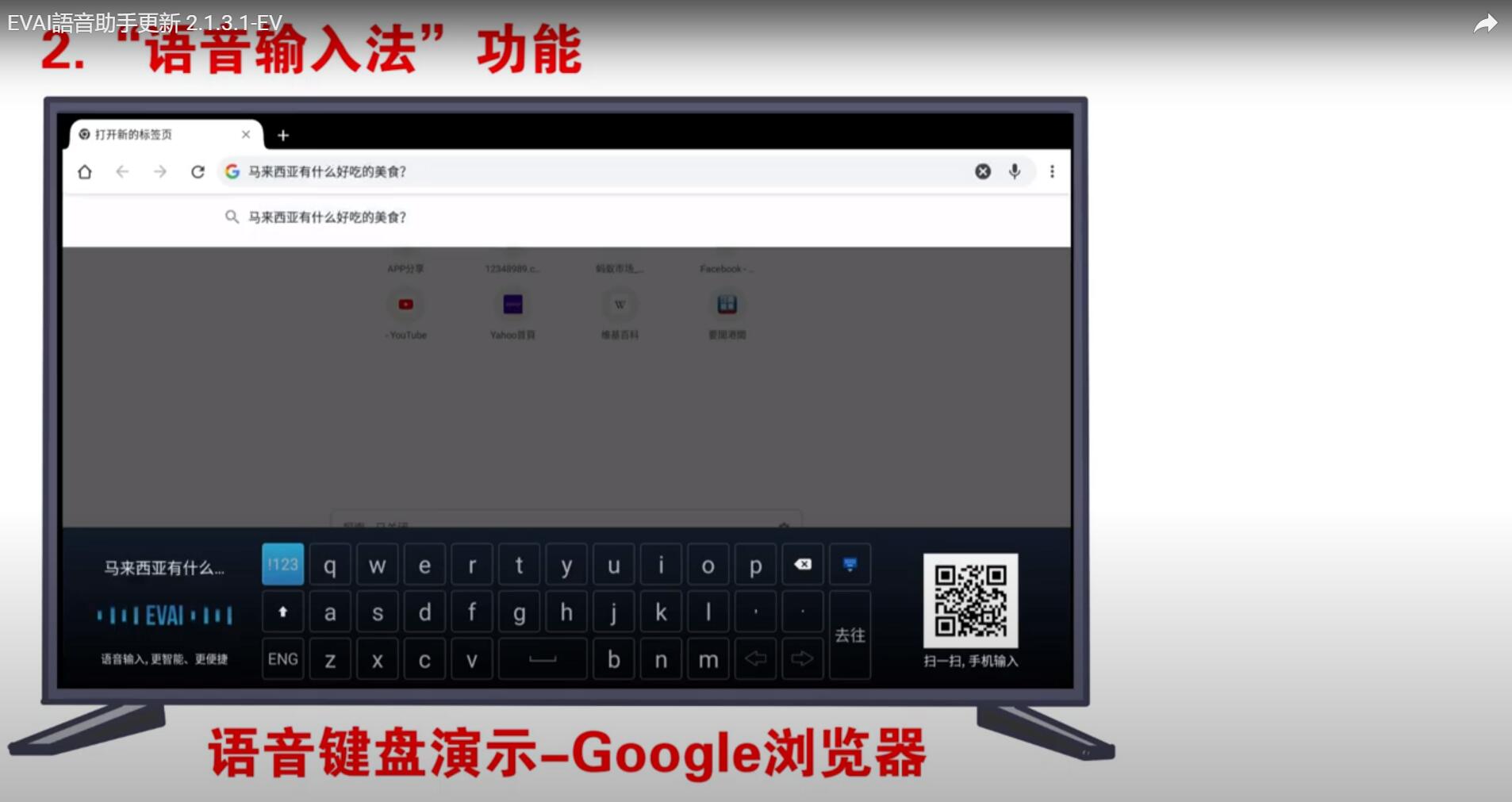
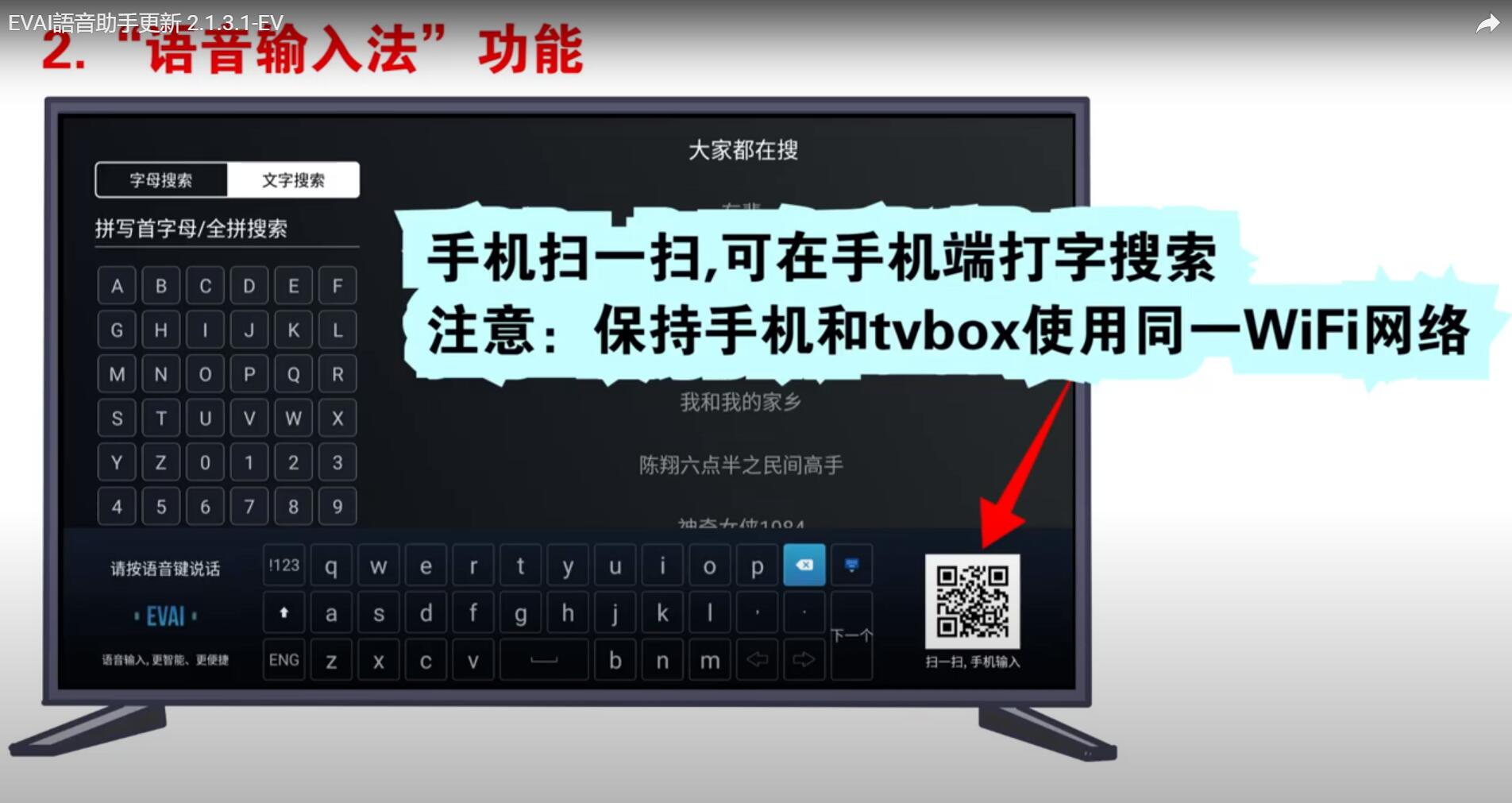
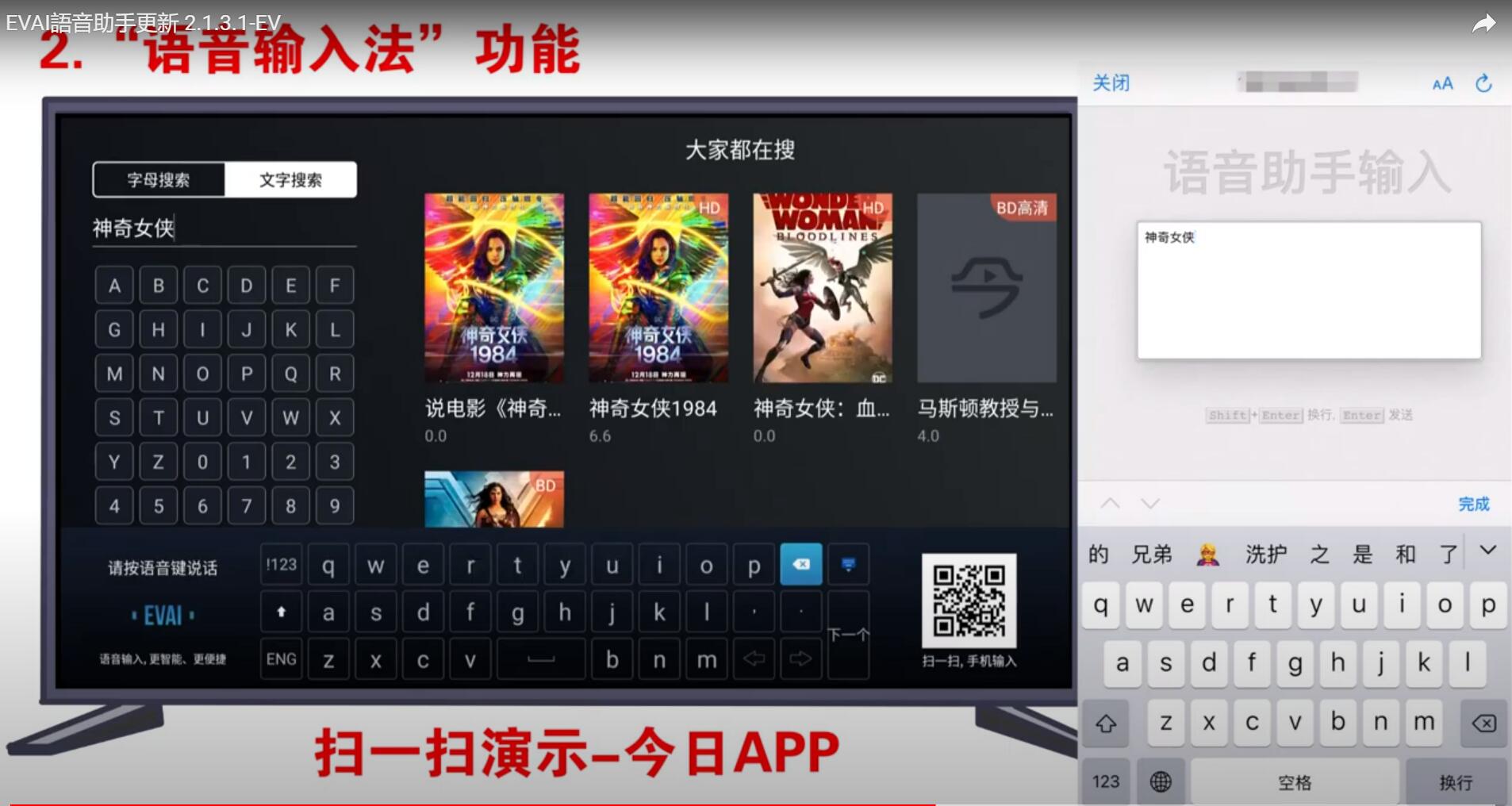
Click in turn: "EVPAD main interface" - "Voice" - "Input method" - "Voice input method settings", check "EV voice assistant", you can call the voice input method in each APP, for example, in the Google browser, you can use language input directly, no longer use the keyboard operation, which is also very convenient.
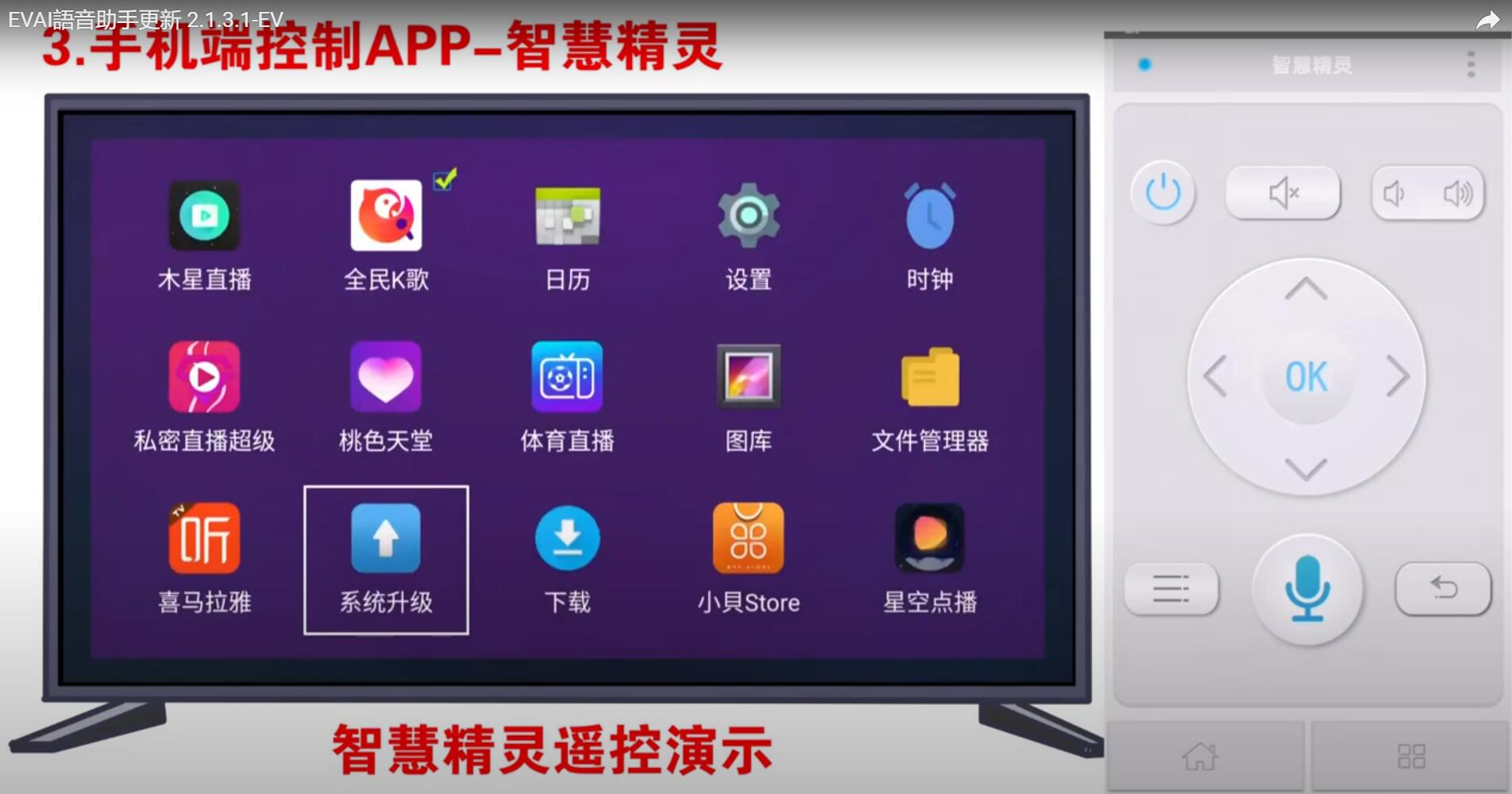
3. Mobile Control APP - "Smart Wizard"
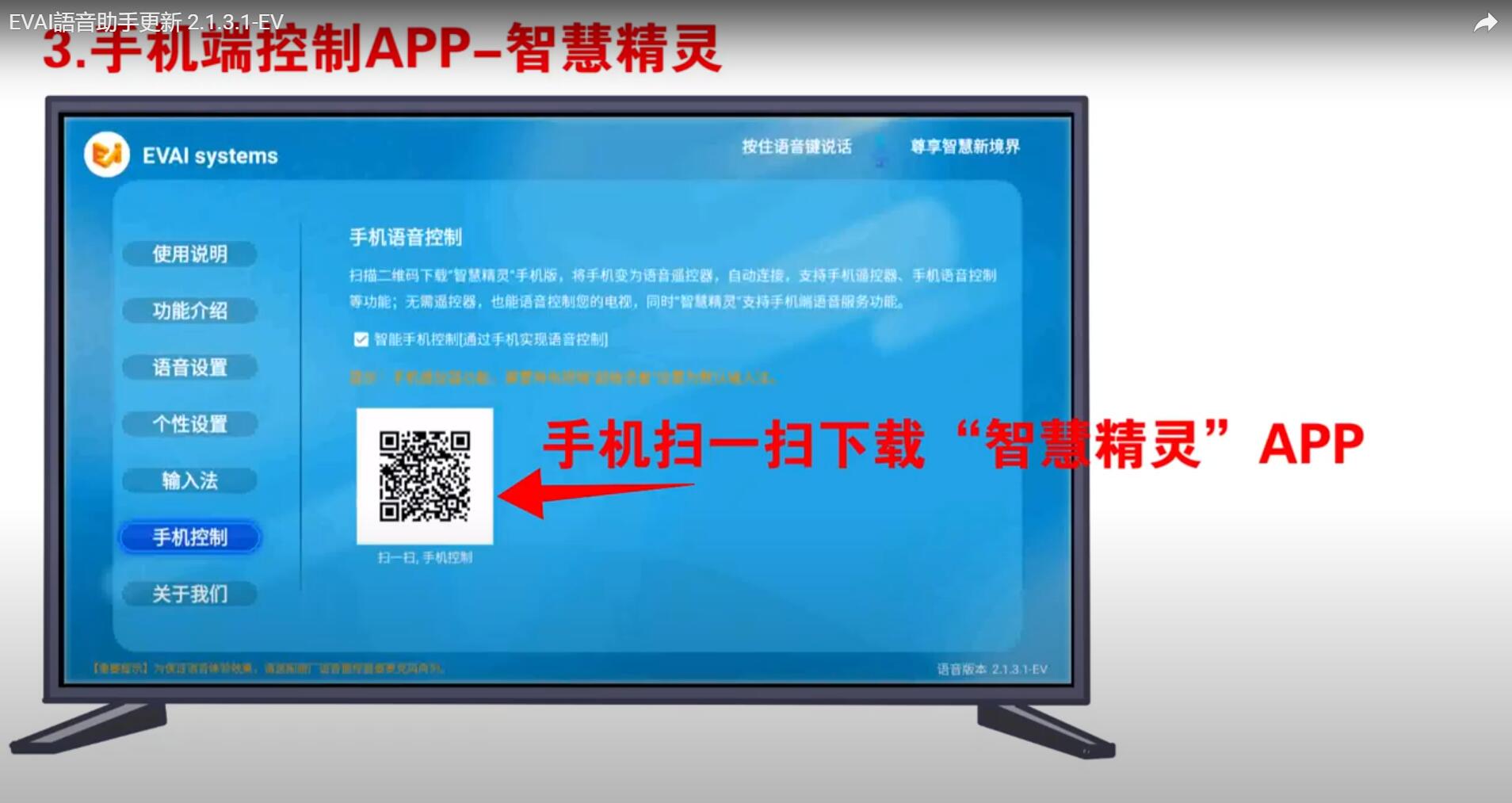
Use your mobile phone to scan the QR code on the picture to install the "Smart Wizard" App, please note that:
(1). Now only supports Android mobile phones.
(2). The mobile phone and the EVPAD TV box must be kept on the same Wifi network so that the "Smart Wizard" App will automatically connect with the EVPAD TV box.
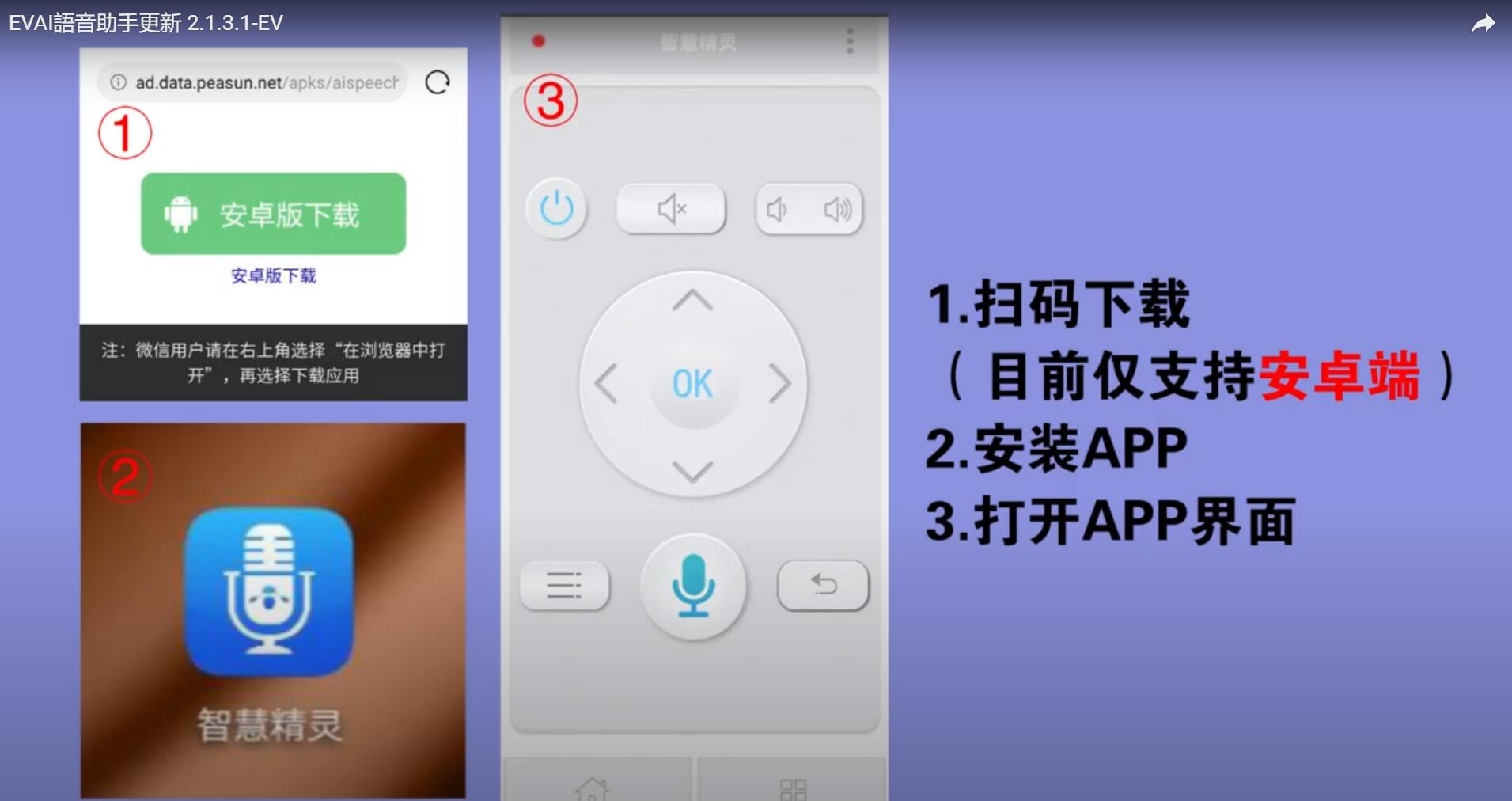
After installing the "Wisdom Wizard" App, open it, you can use the App as a remote control, including regular functions:
Such as power on and off, mute, turn up and down the sound, switch left and right and up and down, back, return to the home page, voice control, etc. . In this way, you are equivalent to an extra remote control.
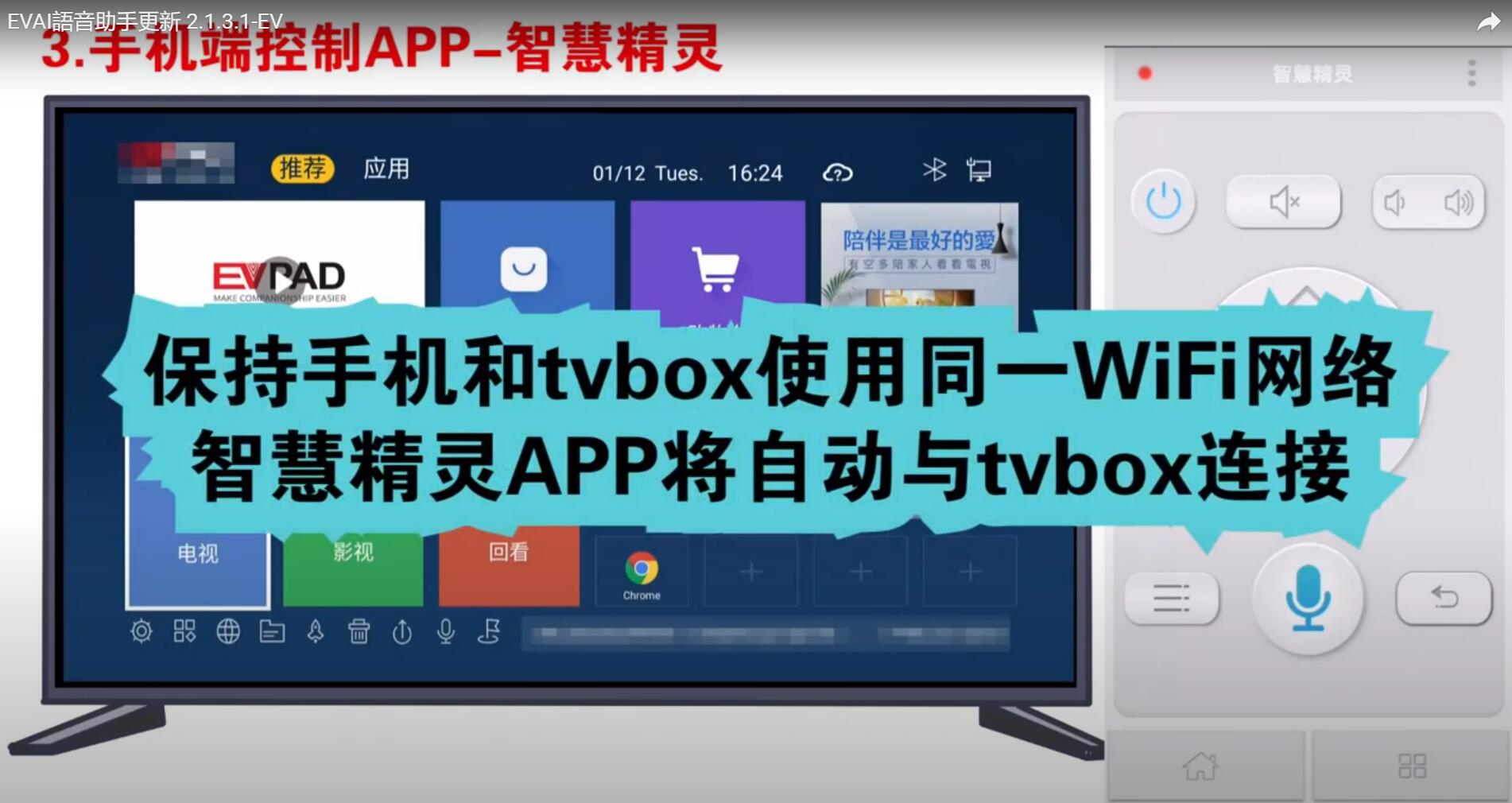
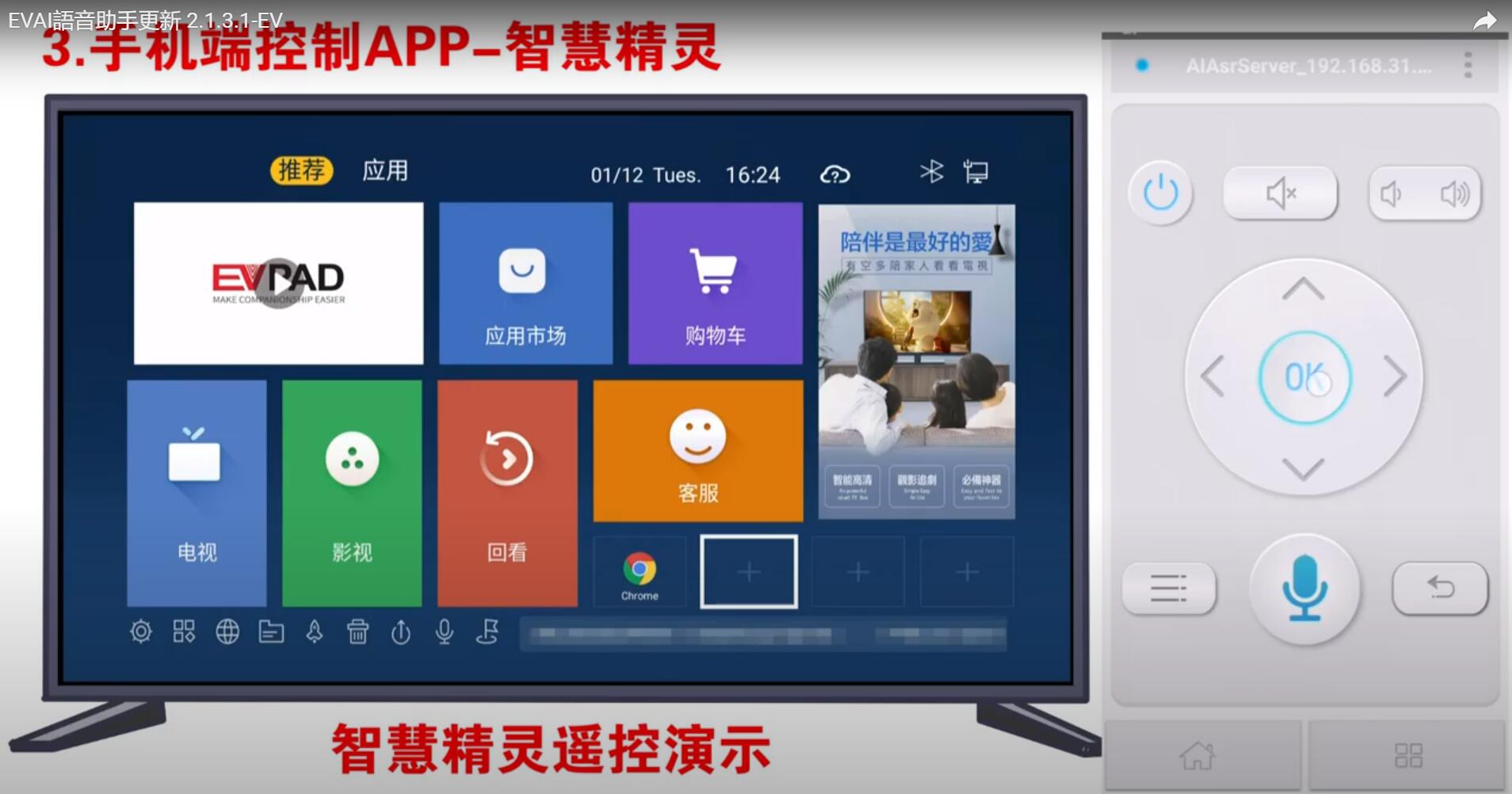
In a word, the latest TV boxes of EVPAD 5 generations (EVPAD 5S, EVPAD 5P, EVPAD 5Max), compared with the previous 3 generations, have undergone many upgrades, which are smarter and more convenient to use.
Dear friends, you will definitely like it.
The latest features of EVAI voice assistant:
1. "Language Box" prompt optimization
2. "Voice input method" function
3. Mobile Control APP - "Smart Wizard'
1. "Language Box" prompt optimization
You can use the voice remote control to speak the name of the TV show or movie you want to watch, and the EVPAD TV box will find the resource and play with quick response. That means you can greatly improve efficiency and quickly find the programs you want to watch, instead of having to switch one by one with the remote control as before.
2. "Voice input method" function
Click in turn: "EVPAD main interface" - "Voice" - "Input method" - "Voice input method settings", check "EV voice assistant", you can call the voice input method in each APP, for example, in the Google browser, you can use language input directly, no longer use the keyboard operation, which is also very convenient.
3. Mobile Control APP - "Smart Wizard"
Use your mobile phone to scan the QR code on the picture to install the "Smart Wizard" App, please note that:
(1). Now only supports Android mobile phones.
(2). The mobile phone and the EVPAD TV box must be kept on the same Wifi network so that the "Smart Wizard" App will automatically connect with the EVPAD TV box.
After installing the "Wisdom Wizard" App, open it, you can use the App as a remote control, including regular functions:
Such as power on and off, mute, turn up and down the sound, switch left and right and up and down, back, return to the home page, voice control, etc. . In this way, you are equivalent to an extra remote control.
In a word, the latest TV boxes of EVPAD 5 generations (EVPAD 5S, EVPAD 5P, EVPAD 5Max), compared with the previous 3 generations, have undergone many upgrades, which are smarter and more convenient to use.
Dear friends, you will definitely like it.



