




 USD
USD EUR
EUR GBP
GBP CAD
CAD AUD
AUD HKD
HKD JPY
JPY KRW
KRW SGD
SGD NZD
NZD THB
THB English
 繁體中文
繁體中文 日本語
日本語 한국어
한국어 ไทย
ไทย Bahasa Indonesia
 Français
 Español
 Deutsch
 Português
 Nederlands
 Tiếng Việt
By EVPADPro | 25 July 2020 | 0 Comments
How to Pair the EVPAD 5s Series TV Box with the RF Remote Control?
Everyone who has bought and used EVPAD knows that the wiring ports on the back of the EVPAD Box have HDMI wiring ports, power wiring ports, network interface cables, and so on.
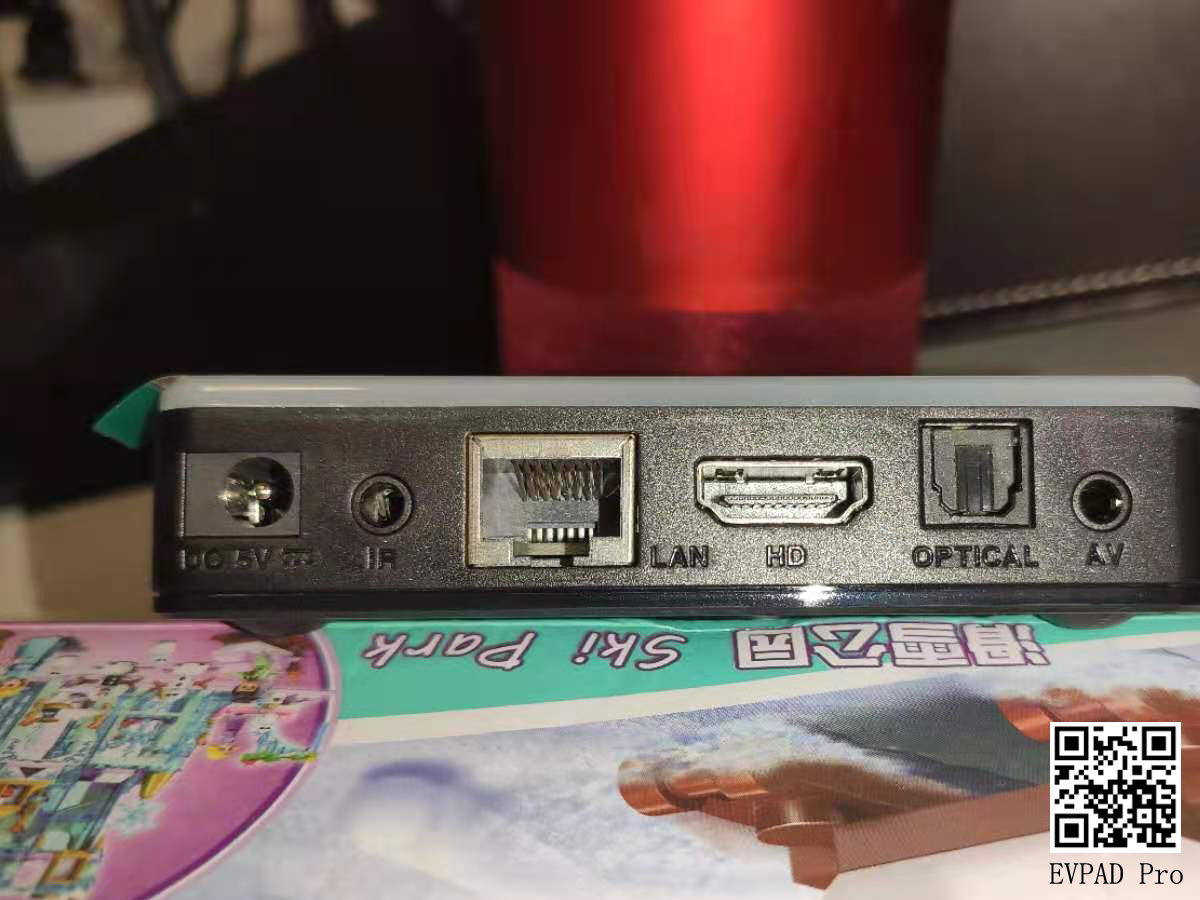
The moment when the TV box is in your hand, I definitely can’t wait to experience it, because with the EVPAD TV box, not only can you watch dozens of different TV channels on EVPAD, but also more than 1,000 free movies. But, what do you want to do in the first step after getting the TV box, did you really do it?
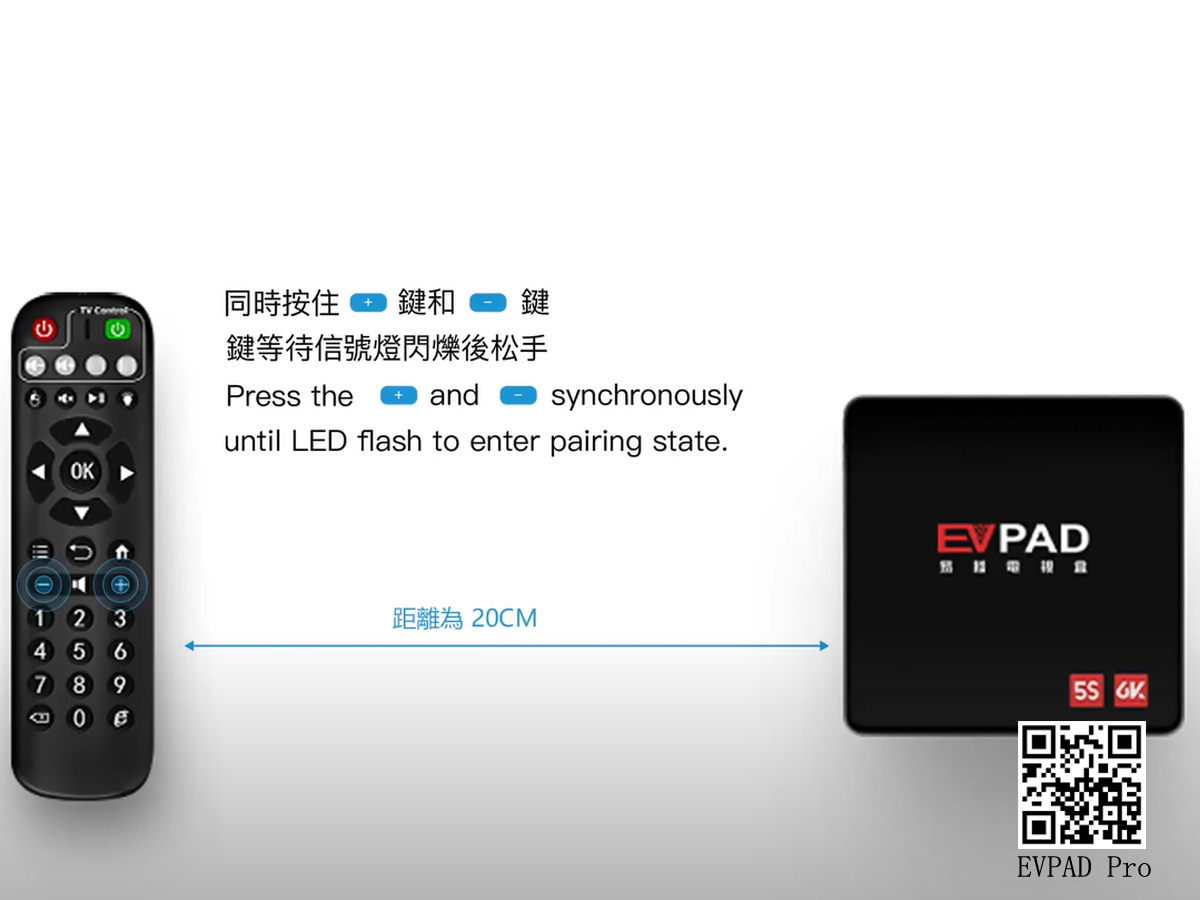
First of all, after getting our favorite EVPAD 5s TV box, after connecting the various wiring behind it, it is necessary to perform an RF remote control pairing operation. Many people should not do this step. In fact, the pairing is also very simple, there are mainly the following two steps:
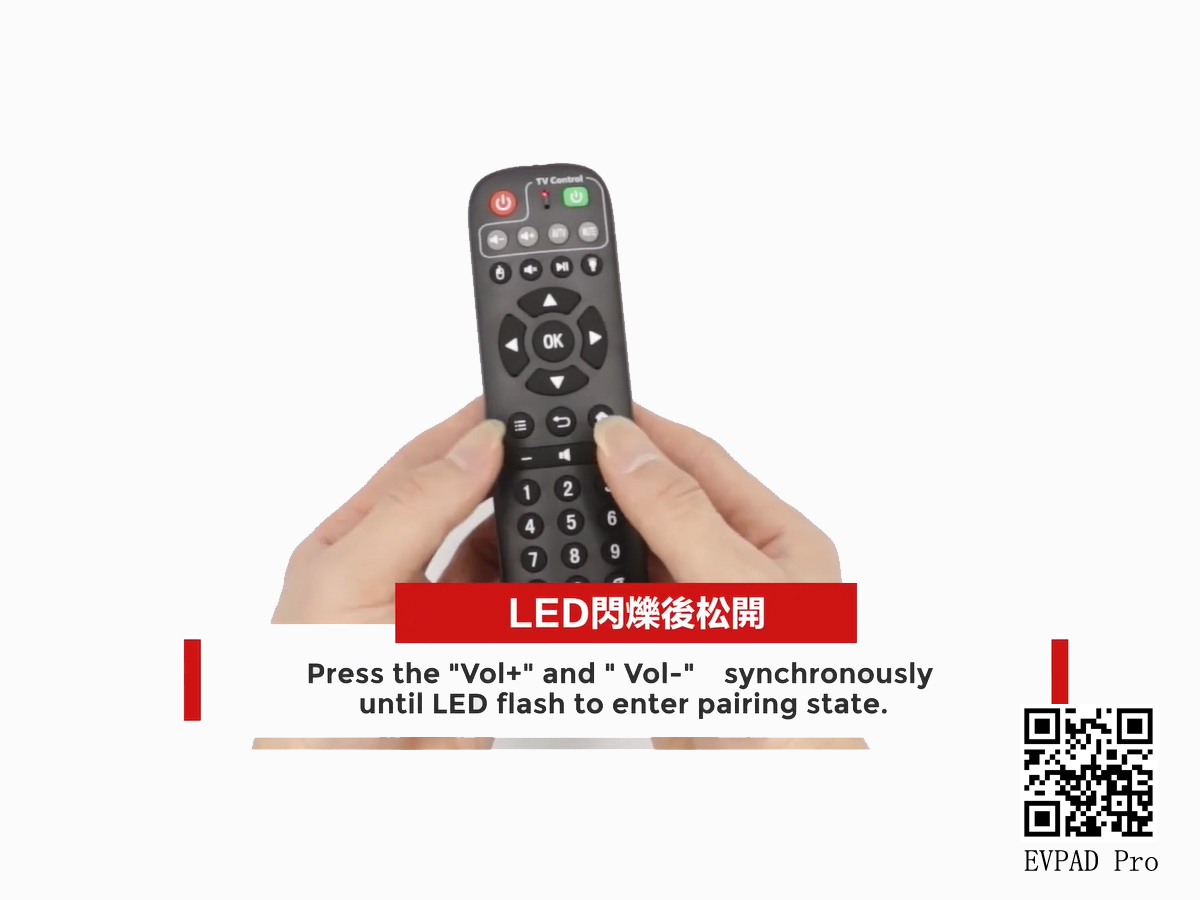
1: Press and hold the volume + and volume buttons on the remote control at the same time, wait for the signal light to flash, and let go. The remote control must be within 20cm of the TV box, and it may not be matched beyond this range.
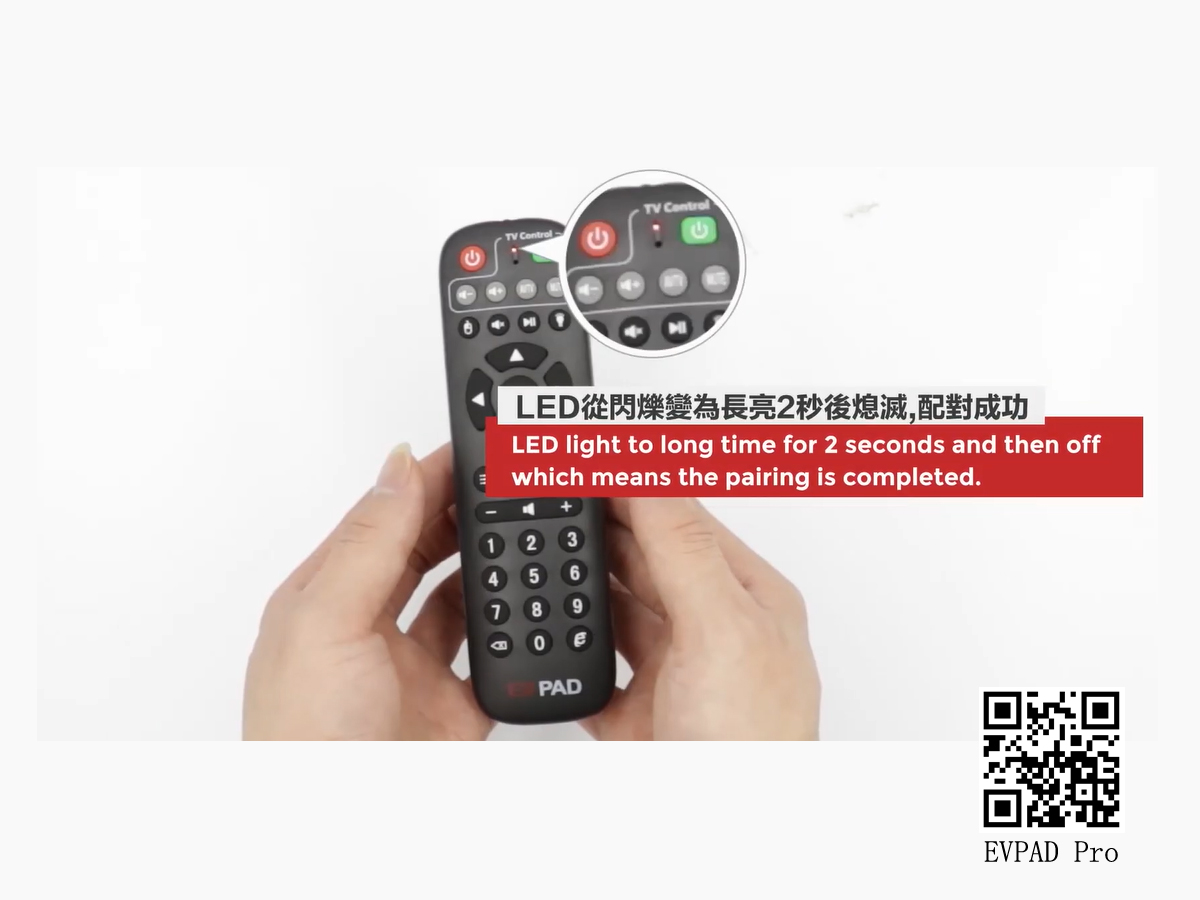
2: When the LED light is always on for 2 seconds, it means that the pairing is successful. If you can't succeed at one time, you can pair multiple times.



