




 USD
USD EUR
EUR GBP
GBP CAD
CAD AUD
AUD HKD
HKD JPY
JPY KRW
KRW SGD
SGD NZD
NZD THB
THB English
 繁體中文
繁體中文 日本語
日本語 한국어
한국어 ไทย
ไทย Bahasa Indonesia
 Français
 Español
 Deutsch
 Português
 Nederlands
 Tiếng Việt
By EVPADPro | 24 October 2024 | 0 Comments
DIGIBOX Operation Guide - How to Use Mobile Remote Control
DIGIBOX is one of the most popular smart Android TV boxes in the whole industry now. Not only does it have the most live TV channels from all over the world, but also it provides thousands of free 18+ adult videos and channels for free. Recently some users came to us and asked us if they can control the TV box by using their phones. Of course you can and it's so easy. Below are the steps.
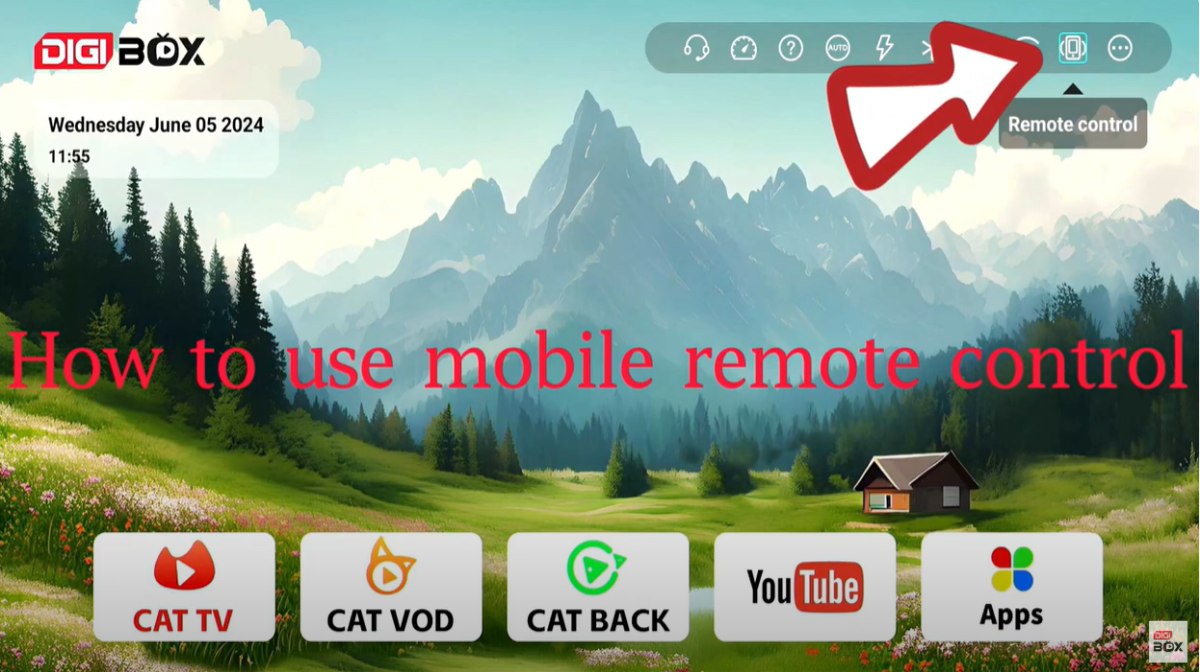
You can see homepage that there's a phone icon like this picture below, click it, then it will lead you to the next page.
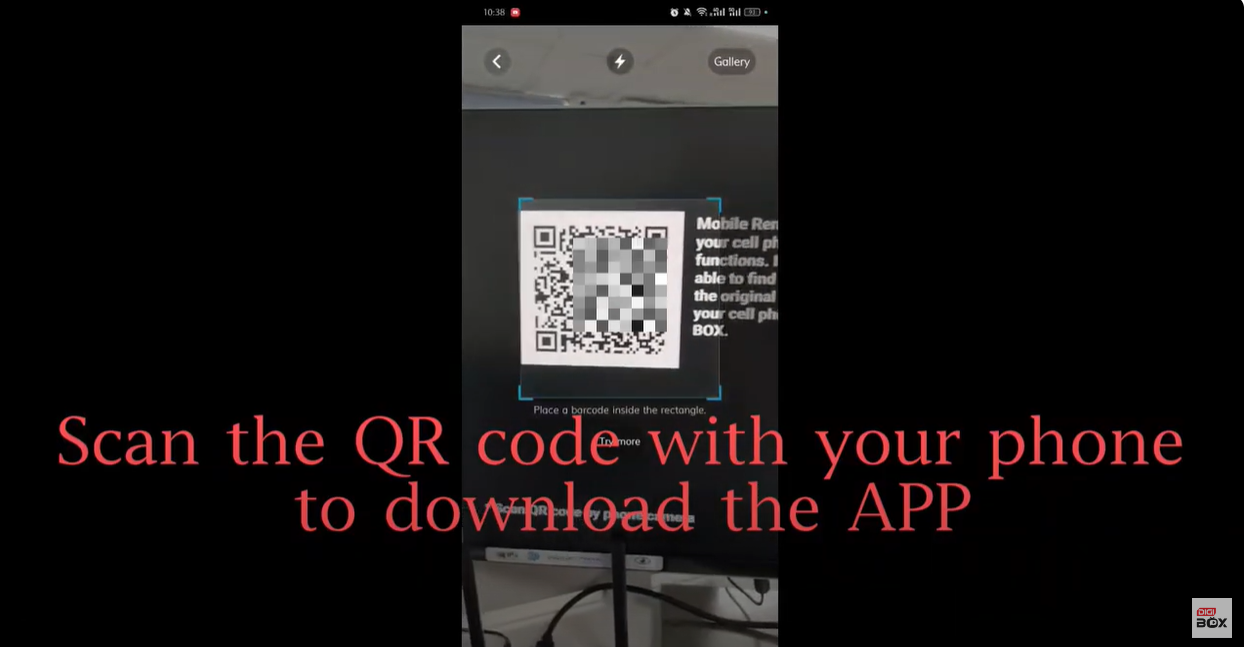
Scan the QR code with your phone to download the App.
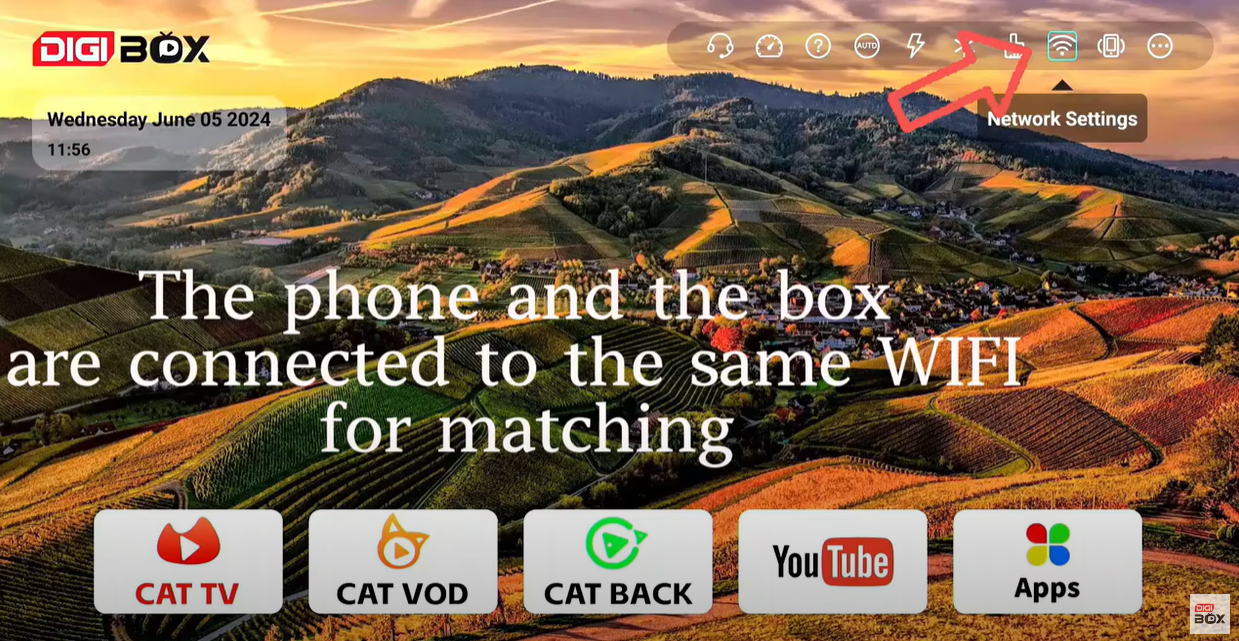
Then make sure the phone and the TV box are connected to the same WiFi for matching. Now everything is set!
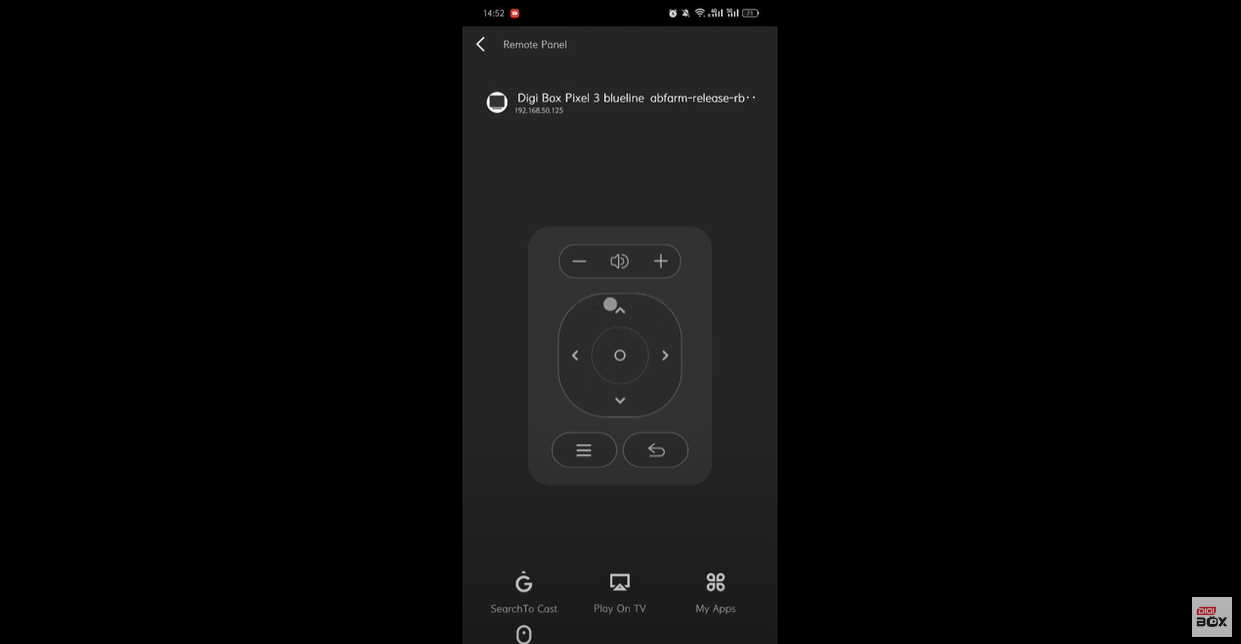
Enjoy your streaming!
You can see homepage that there's a phone icon like this picture below, click it, then it will lead you to the next page.
Scan the QR code with your phone to download the App.
Then make sure the phone and the TV box are connected to the same WiFi for matching. Now everything is set!
Enjoy your streaming!



